Answering the search for a reliable TV cable organizer kit, this guide highlights five in-wall and wall-hugging options that hide cords behind walls or along surfaces. These kits are best for homeowners and renters who want a neat living room, media room, or home theater without hiring an electrician. The top picks balance DIY installability, compatibility with common TVs and AV gear, and a tidy finished look. Use the quick comparison table below to spot which kit fits your wall depth, cabling needs, and decor style.
| Product | Why It Stands Out |
|---|---|
| Mount-It! In-Wall Cable Concealer Kit | Comprehensive in-wall solution with recessed power and included drywall saw for a pro-like install. |
| Naerza In Wall Cable Management Kit | All-in-one in-wall kit with simple white aesthetic and clear diagrams for quick DIY setup. |
| Celendor In Wall Cable Concealer Kit | High-capacity, versatile design that fits many cables behind the wall for a clean look. |
| SJKHGU In Wall Cable Management Kit | User-friendly, white finish, supports multiple cables through a single box. |
| Riozoo TV Wire Hider Kit | Budget-friendly option with pass-throughs and drill attachment for easy install. |
Mount-It! In-Wall Cable Concealer Kit
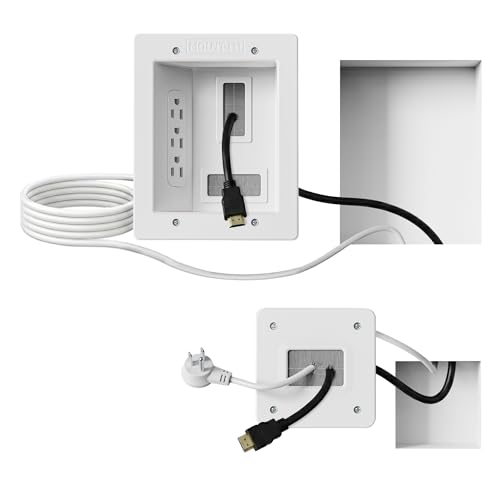
Best for: Living rooms and home theaters where a seamless, built-in look is desired. The kit provides a spacious recessed opening to accommodate multiple HDMI, Ethernet, and A/V cables while keeping everything hidden behind the wall. Includes a drywall saw and template for a faster install, suitable for renters and homeowners who want a pro appearance without wiring. Limitation: Requires wall depth and attention to safety when routing power through the wall. Cables must remain within the approved kit channels.
Naerza In Wall Cable Management Kit
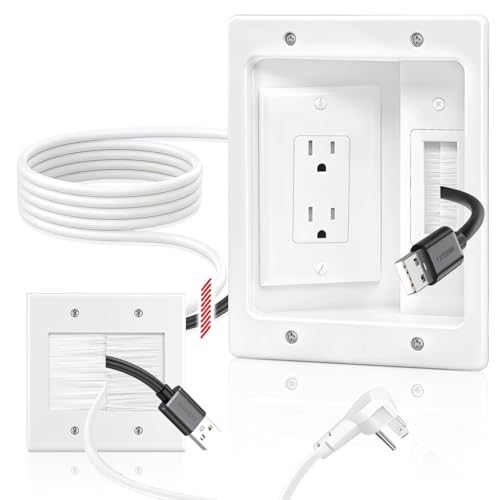
Best for: White, minimalistic interiors where you want a clean wall appearance and straightforward instructions. This all-in-one kit hides power cords, HDMI, Ethernet, and A/V cables within the wall and includes step-by-step diagrams to complete a 30-minute install with basic tools. Limitation: Requires sufficient wall cavity depth; extra tools like fish tape may be needed to guide cables through the wall.
Celendor In Wall Cable Concealer Kit

Best for: Homes needing high-capacity, versatile in-wall management that supports many cables behind a brushed white plate. The kit is designed for quick, DIY friendly installation with wing clips to secure the unit to drywall. Limitation: Depth and wall type may influence flush mounting accuracy; confirm wall cavity before purchase.
SJKHGU In Wall Cable Management Kit

Best for: Offices or living areas needing a neat look with a white recessed outlet box. The kit accommodates multiple cables through a single box and uses wing-shaped clips to grip drywall for a flush finish. Limitation: May require basic tools and potential follow-up for deeper cable routing; not all walls permit recessed outlets depending on structure.
Riozoo TV Wire Hider Kit
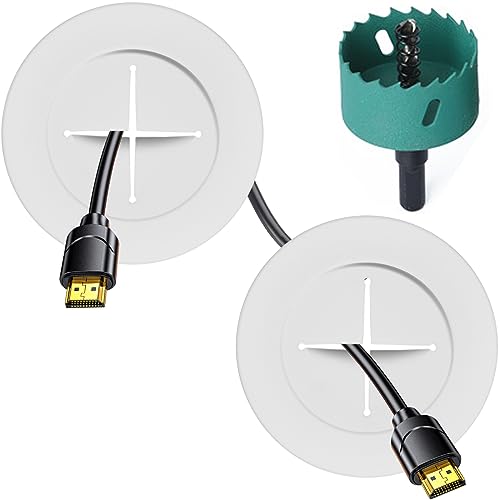
Best for: Budget-conscious buyers seeking a practical wall-mount solution for clutter-free TVs and consoles. It includes two pass-throughs and a hole saw drill attachment for easier installation. Limitation: May have fewer advanced features or higher capacity compared with premium kits; check your cable count before buying.
Buying Guide
What should you consider before purchasing a TV cable organizer kit?
Wall depth and construction are critical. In-wall kits require sufficient cavity depth and may demand extra tools, like fish tape, to guide cables through the wall. If you rent, consider plug-in kits that do not require permanent wiring. For decorative spaces, white or neutral finishes help the kit blend with most decors.
In-wall vs. surface-mount solutions
In-wall kits offer the cleanest look by hiding cables behind the wall, but installation is more involved and may require drywall cutting. Surface-mount or brush plate kits are easier to install and still reduce visible clutter, though they remain visible on the wall.
How many cables do you need to manage?
Estimate total HDMI, Ethernet, power, and A/V cables. Choose a kit with enough channels and a large enough outlet box to avoid crowding, which can complicate future rearrangements.
Safety and compatibility
Follow all included instructions. In-wall power kits must comply with electrical code requirements. If in doubt, consult a professional. Ensure the kit’s power kit and outlets meet local regulations and that your device cords fit the provided channels.
Installation time and skill level
Most kits are designed for DIY installation, with 30-minute to 1-hour timelines typical for many homes. A few include detailed diagrams and tools to simplify the process. If walls are textured or contain complex framing, professional help may be advisable.
Maintenance and future-proofing
Choose a kit that can accommodate additional devices in the future. A flexible, high-capacity design reduces the need to repurchase or redo the setup later.
FAQ
Do these kits require an electrician?
Most plug-in in-wall kits are designed for DIY installation and do not require an electrician, provided you follow the included instructions and safety guidelines.
Will these kits fit my wall type?
Compatibility depends on wall cavity depth and construction. Always verify cavity depth before purchase and ensure the wall can accommodate the outlet box.
Can I run power through the wall with these kits?
Some kits include recessed power outlets; check the product description for compliance with local electrical codes and installation requirements.
What if I have many cables?
Prioritize kits that advertise high capacity and multiple pass-throughs. If in doubt, choose a larger box with more channels or plan for future expansion.
Are these kits paintable to match walls?
Many kits feature white faces or neutral finishes that blend with common decors, and some parts can be painted to better match your walls.