The best choice for remote-controlled robot vacuums is one that matches your model, offers quick setup, and provides reliable range. This guide highlights five top picks that cover replacement remotes, programmable remotes, and full 2-in-1 vacuum/mop robots with remote access. Suitable buyers include model-specific remote replacers, multi-brand remote users, and households needing easy one-step control without app setup.
Summary of selected products
| Product | Brand | Best For | Notable Benefit |
|---|---|---|---|
| RETROSUN Replacement Remote | RETROSUN | Multiple BR151-based models | Out-of-box use with 2xAAA batteries |
| Lefant Remote Control | Lefant | Lefant M210/M310 series | Schedule, modes, auto return |
| FQOUG Replacement Remote | FQOUG | MONSGA MS1 family | Fast infrared, long-range, plug & play |
| Tikom G8000 Max Robot Vacuum | Tikom | Vacuum and mop combo | Strong suction and long battery life |
| ZCWA Robot Vacuum and Mop | ZCWA | 2-in-1 robot vacuums | App + remote control compatibility |
RETROSUN Replacement Remote Control for BR151 and Related Models

Best for: Owners of MAMNV BR151, XIEBro Life BR151 BL, ZCWA BR151, or kilgone G20 based robotic vacuums who need a straightforward, ready-to-use remote. This model promises compatibility across multiple brands and a simple two-item battery setup with no programming.
- Wide compatibility covers BR151 variants and common G20-style remotes.
- Instant usability—no programming or pairing required; just insert 2x AAA batteries.
- Controls starting, pausing, returning, water volume, suction, and direction.
Best for households that want a budget-friendly, plug-and-play replacement remote without app or pairing steps. Caution: confirm your exact model before ordering to ensure full compatibility.
Lefant Remote Control for Lefant Vacuum Series
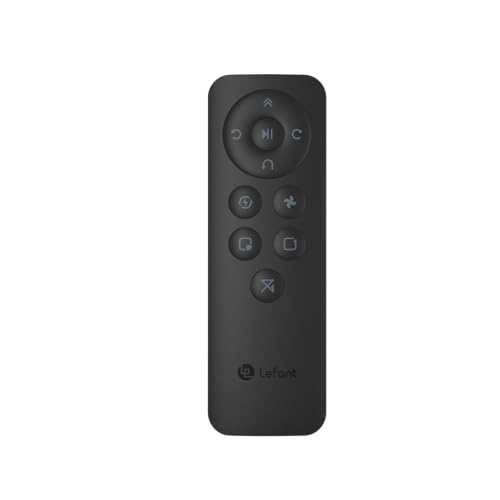
Best for: Lefant M210/M210B/M210P/M310/M320 owners seeking enhanced scheduling and mode control. The remote offers integrated features like automatic return to charging, mode switching, and suction adjustment.
- Supports Lefant models listed in product features.
- Includes scheduling, cleaning mode control, suction adjustment, and auto-return.
- Path direction adjustment helps tailor cleaning routes.
Limitation: Works with listed Lefant models; verify compatibility with your exact unit before purchasing.
FQOUG Replacement Remote for MONSGA MS1/MS1MAX

Best for: MONSGA MS1/MS1MAX owners who want a plug-and-play replacement with fast response. The remote uses infrared technology and a smart chip to simplify operation.
- Plug & Play—no setup or pairing required.
- Infrared 3.0 with stable transmission up to 8 meters (26 feet).
- Widely compatible with MS1 family and similar units as listed.
Limitation: Requires 2x AAA batteries (not included) and may not control non-MS1 family units not listed in compatibility.
Tikom Robot Vacuum And Mop Combo (G8000 Max)

Best for: Homes needing a 2-in-1 vacuum and mop solution with strong suction and long run-time. The G8000 Max supports app and remote control for flexible operation.
- 5000Pa suction for hard floors, carpets, and pet hair.
- Vacuum and mop in one pass to reduce cleaning time by about half.
- Up to 150 minutes of battery life and automatic recharging.
Limitation: App compatibility may require 2.4 GHz WiFi and basic setup; remote control functionality depends on model features.
ZCWA Robot Vacuum And Mop Combo

Best for: Households needing a robust 2-in-1 vacuum and mop with smart app control and voice integration. The ZCWA model emphasizes mopping capability with selective water control.
- 2-in-1 vacuum and mopping function with a 230 ml water tank.
- Smart app support and voice control via Alexa/Google Assistant.
- Slim design helps reach narrow spaces and corners.
Limitation: App compatibility notes indicate reliance on 2.4 GHz WiFi; ensure your network settings match requirements.
Buying Guide
Key purchase considerations for robot vacuum remotes and remote-enabled vacuums:
- Compatibility: Verify model numbers and brand compatibility before purchase. A remote or app feature must directly match your device.
- Control options: Decide between physical remote, app-based control, voice commands, or a combination. Some users prefer simple remotes, others want scheduling and multi-mode control.
- Setup and pairing: Plug-and-play remotes minimize setup time. If choosing an app-enabled robot, ensure your WiFi network supports the required frequency (commonly 2.4 GHz).
- Range and reliability: Look for remotes with longer range and stable signals to reduce misfires during cleaning.
- 2-in-1 capabilities: If you need mopping features, ensure the remote or robot supports adjustable water flow and integrated mop modes.
- Battery considerations: For remote controls, check battery type (usually 2x AAA) and availability. For robots, consider battery life and auto-recharge features.
FAQ
- Do remote controls require setup? Most listed remotes are plug-and-play and require no pairing, but some Lefant remotes may guide initial pairing with the specific model.
- Can I use a remote control with multiple brands? Some remotes offer multi-brand compatibility, but always confirm your exact model before ordering.
- Is app control necessary for all robot vacuums? No. Many models work with remotes or voice assistants; some offer both options for flexibility.
- What should I do if the remote doesn’t work? Replace batteries, ensure proper alignment with the IR window, and re-check model compatibility.
- Are 2-in-1 vacuum/mop robots worth it? For busiest homes, 2-in-1 units save time by combining vacuuming and mopping, though dedicated vacuums sometimes perform better on certain surfaces.
- Is 2.4 GHz WiFi required for the app? Many models list 2.4 GHz as a requirement; verify your router supports the needed frequency in advance.