Answering the demand for reliable, long-lasting shredders, this guide highlights durable models well-suited for home offices and small teams. The top picks emphasize strong build quality, continuous runtime, and high security. Best for frequent shredding, mixed materials (paper, CDs, staples), and secure disposal, these machines balance power and practicality. Each choice includes a brief note on the ideal buyer and a practical caution.
| Product | Best For | Security Level | Notes |
|---|---|---|---|
| Bonsaii 12-Sheet Cross Cut (C275-A) | Small offices, home offices | P-4 | Compact 5.5 gal bin, continuous 6 minutes |
| Bonsaii 15-Sheet Cross-Cut (C169-B) | Busy home offices | P-4 | 40-minute runtime, anti-jam features |
| Bonsaii 200-Sheet Auto Feed (C283-A) | High-volume shredding | P-4 | Hands-free auto feed, large 8.1 gal bin |
| Auto Feed 400-Sheet Micro-Cut | Commercial-grade home office | P-5 | 50L bin, micro-cut security |
| Aurora AU1210MA | Security-focused setups | P-4 | 60-minute nonstop run |
Bonsaii 12-Sheet Cross Cut Paper Shredder, 5.5 Gal

Best for: Individuals or small offices needing a sturdy, compact shredder for regular daily use. Why selected: It delivers reliable P-4 cross-cut shredding, handles 12 sheets per pass, and includes a transparent window to monitor waste. The 6-minute continuous run helps cover moderate shredding tasks without frequent cool-downs. Suitable for documents, credit cards, and small staples. Limitations: Continuous duty is limited; heavy daily volumes may require longer-cooling intervals.
Bonsaii 15-Sheet Cross-Cut 40-Min Heavy Duty Shredder (C169-B)
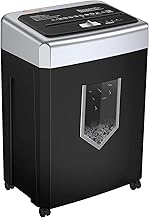
Best for: Small offices with higher daily output and occasional heavy-duty needs. Why selected: This model increases the sheet capacity to 15 per pass and offers up to 40 minutes of continuous use, alongside anti-jam features. It shreds CDs, mail, and staples into small particles, reducing disposal volume. Caution: Prolonged continuous operation may trigger the unit’s cooling/shutoff; plan shredding sessions with cooling periods.
Bonsaii 200-Sheet Auto Feed Micro Cut (C283-A)

Best for: Offices with high-volume shredding needs seeking hands-free operation and low maintenance. Why selected: It auto-feeds up to 200 sheets, runs up to 60 minutes, and includes an 8.1-gallon bin with casters for easy mobility. The auto-feed design increases productivity, while manual mode handles cards and small batches. Caution: The machine requires cooling after long cycles; avoid ignoring the cooling indicator for best longevity.
Auto Feed Paper Shredder 400-Sheet Micro Cut (P-5)

Best for: Home offices processing large volumes of sensitive documents. Why selected: It handles up to 400 sheets in auto-feed mode and produces micro-cut particles at P-5 security level, with a large 50L bin and a window to monitor fill level. Notable: The blower-like auto-feed can pause when the bin is full to prevent spills. Caution: Primarily designed for high-volume tasks; in smaller workloads, consider a lower-capacity model to save space and energy.
Aurora AU1210MA Professional Grade Shredder

Best for: Security-focused environments needing dependable daily shredding with relatively long continuous use. Why selected: It offers P-4 micro-cut security, shreds CDs and credit cards, and provides 60-minute nonstop operation. The larger capacity basket helps reduce frequent emptying in busy days. Caution: Micro-cut yield can be slower than larger-cut formats; plan for slightly longer shredding cycles in very large jobs.
Buying Guide
What to consider when choosing a durable shredder
- Security level: Choose P-4 for most sensitive documents; P-5 for highly confidential materials like tax returns and financial statements.
- Sheet capacity: Higher per-pass capacity improves productivity in busy environments; balance with space and motor cooling requirements.
- Continuous run time: Longer runtimes reduce interruptions; ensure your space allows for cooling periods if needed.
- Bin size and mobility: Larger bins reduce emptying frequency; wheels or casters improve repositioning within an office.
- Auto feed vs manual: Auto-feed is best for high volumes; manual entry offers flexibility for occasional use and credit cards or staples.
- Material handling: Ensure the model can shred paper, CDs/DVDs, credit cards, and staples if your workflow includes mixed media.
- Noise level and reliability: Look for models with whisper-quiet operation for shared spaces; consider warranty and service availability in your region.
Frequently Asked Questions
- What is the difference between cross-cut and micro-cut shredders?
Cross-cut creates larger particles (less secure) than micro-cut; micro-cut reduces reconstructability further but may be slower. - Is a larger bin always better?
A larger bin reduces emptying frequency, but it also takes up more space; choose a size that fits your office footprint. - Do auto-feed shredders handle only paper?
Many auto-feed models shred paper and can handle staples and CDs, but verify the manual for item compatibility. - How long should I run a shredder before letting it rest?
Most units provide a recommended continuous run period; cooling times are important to prevent overheating and extend life. - What maintenance helps durability?
Regular oiling, cleaning of the cutting blades, and prompt clearing of jams can significantly extend shredder life. - Are these shredders suitable for home offices with tax documents?
Yes, especially models with P-4 or P-5 security levels; ensure you have a plan for secure disposal and storage of shredded output.